Which can be obtained from https://filezilla-project.org/download.php?show_all=1
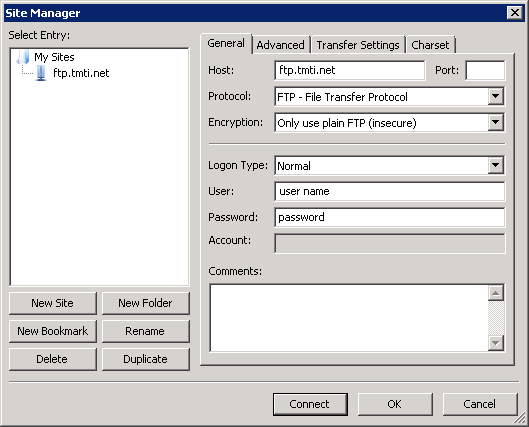
Example settings are below.
To use this site please use a FTP client such as FileZilla.
Which can be obtained from https://filezilla-project.org/download.php?show_all=1
Example settings are below.